Implementation of a log file. More...
#include <log.h>
Public Member Functions | |
| CLog (const std::string &filename) | |
| Constructor. More... | |
| void | enable (void) |
| Function to enable the log This function enable the particular log associated with the object. This function sets the enable attribute to true. The log file is already created when this function is called, and it is not affected by its call. More... | |
| void | disable (void) |
| Function to disable the log This function disables the particular log associated with the object. This function sets the enable attribute to false. The log file is already created when this function is called, and it is not affected by its call. More... | |
| bool | is_enabled (void) |
| Function to check if the log is enabled. More... | |
| std::string | get_filename (void) |
| Function to get the full filename. More... | |
| void | set_time_format (ctimeformat format) |
| Function to set the time format. More... | |
| ctimeformat | get_time_format () |
| Function to get the time format. More... | |
| template<class T > | |
| void | log (const T &value) |
| Function to write a variable to the log. More... | |
| template<class T > | |
| void | log_vector (const std::vector< T > &values) |
| Function to write a vector of variable to the log. More... | |
| ~CLog () | |
| Destructor. More... | |
Detailed Description
This class allows easyliy handling log files in a class. The name of the file in which to save the user messages is fixed at construction time, and the corresponding file created. If a file with the same name already exists, it is deleted and a new one is created. The file is opened at construction time, and remains this way until the class is destroyed, even if the log is disabled.
The message logging for a class can be enabled or disabled at any time. When enabled, the user can use the log() function to save messages into the file. These messages will each have the time stamp in which they where written. When disabled, the log() fnction will do nothing.
The function is_enabled() make it possible to check if the log is enabled or not. By default, the ./log/ directory is used to store all the log files. The class provides a mutex object in order to avoid data corruption when multiple threads try to log messages to this object.
- Examples:
- test_bothservers.cpp, and test_logs.cpp.
Constructor & Destructor Documentation
| CLog::CLog | ( | const std::string & | filename | ) |
This function initializes the file structure and associates it with the filename provided by the user. By default, both global and local enables are set to true. The values of all the attributes after calling this constructor is as follows:
- log_file: An initialized FILE structure.
- enable=true.
- Parameters
-
filename a null-terminated string with the name of the log file to be created. The memory necessary for this string must be allocated by the calling process. The file name must not have any spaces or special character. The filename must not have any extension, '.log' is automatically appended.
This function throws a CLogException if there is any error.
Definition at line 35 of file log.cpp.
References set_time_format().

| CLog::~CLog | ( | ) |
This function closes the log file even if it is locally or globally disabled. All the associated memory is freed, but the value of the global enable is not modified because there may exist other CLog objects still created.
This function throws a CLogException if there is any error.
Definition at line 93 of file log.cpp.
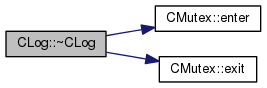
References CMutex::enter(), and CMutex::exit().
Member Function Documentation
| void CLog::enable | ( | void | ) |
This function throws an exception if there is any error.
Definition at line 59 of file log.cpp.
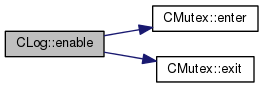
References CMutex::enter(), and CMutex::exit().
| void CLog::disable | ( | void | ) |
This function throws a CLogException if there is any error.
Definition at line 66 of file log.cpp.
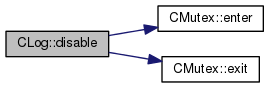
References CMutex::enter(), and CMutex::exit().
| bool CLog::is_enabled | ( | void | ) |
This function checks if the message logging for the corresponding object is enabled or not.
This function throws a CLogException if there is any error.
- Returns
- The state of the local enable, true if the particular log is enabled or false otherwise.
Definition at line 73 of file log.cpp.
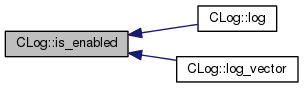
Referenced by log(), and log_vector().
| std::string CLog::get_filename | ( | void | ) |
This function returns the full filename of rthe log file including the path and the extension.
This function throws a CLogException if there is any error.
- Returns
- A null terminated string with the full filename of the log file.
| void CLog::set_time_format | ( | ctimeformat | format | ) |
This function sets the time format format to be used in each of the log entries.
- Parameters
-
format the time format to be used. See the documentation on the ctimeformat enummeration type for more information.
Definition at line 83 of file log.cpp.
References CTime::setFormat().
Referenced by CLog().


| ctimeformat CLog::get_time_format | ( | ) |
This functions returns the current time format used to generate each of the log entries in ctimeformat type.
- Returns
- the current time format used. See the documentation on the ctimeformat enummeration type for more information.
Definition at line 88 of file log.cpp.
References CTime::getFormat().

|
inline |
This function writes the user variable to the log file together with the time stamp at which the message has been logged. If the global enable is not set, or else, if it is set but the local enable is not, this function does nothing. The only way to actually log user messages is that both the local and global enables are set.
This function throws a CLogException if there is any error.
- Parameters
-
value any kind of basic C++ data types which provides an overloaded version of the << operator (int, double, std::string, etc.). Vectors are not supported by this function, use the log_vector() function instead.
- Examples:
- test_bothservers.cpp, and test_logs.cpp.
Definition at line 208 of file log.h.
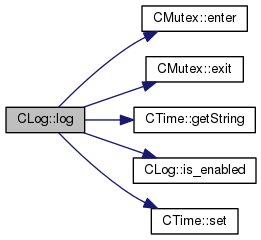
References CMutex::enter(), CMutex::exit(), CTime::getString(), is_enabled(), and CTime::set().
|
inline |
This function writes the user vector to the log file together with the time stamp at which the message has been logged. If the global enable is not set, or else, if it is set but the local enable is not, this function does nothing. The only way to actually log user messages is that both the local and global enables are set.
This function throws a CLogException if there is any error.
- Parameters
-
values a vector of any kind of basic C++ data types which provides an overloaded version of the << operator (int, double, std::string, etc.).
- Examples:
- test_logs.cpp.
Definition at line 234 of file log.h.
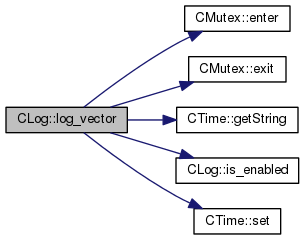
References CMutex::enter(), CMutex::exit(), CTime::getString(), is_enabled(), and CTime::set().
The documentation for this class was generated from the following files: